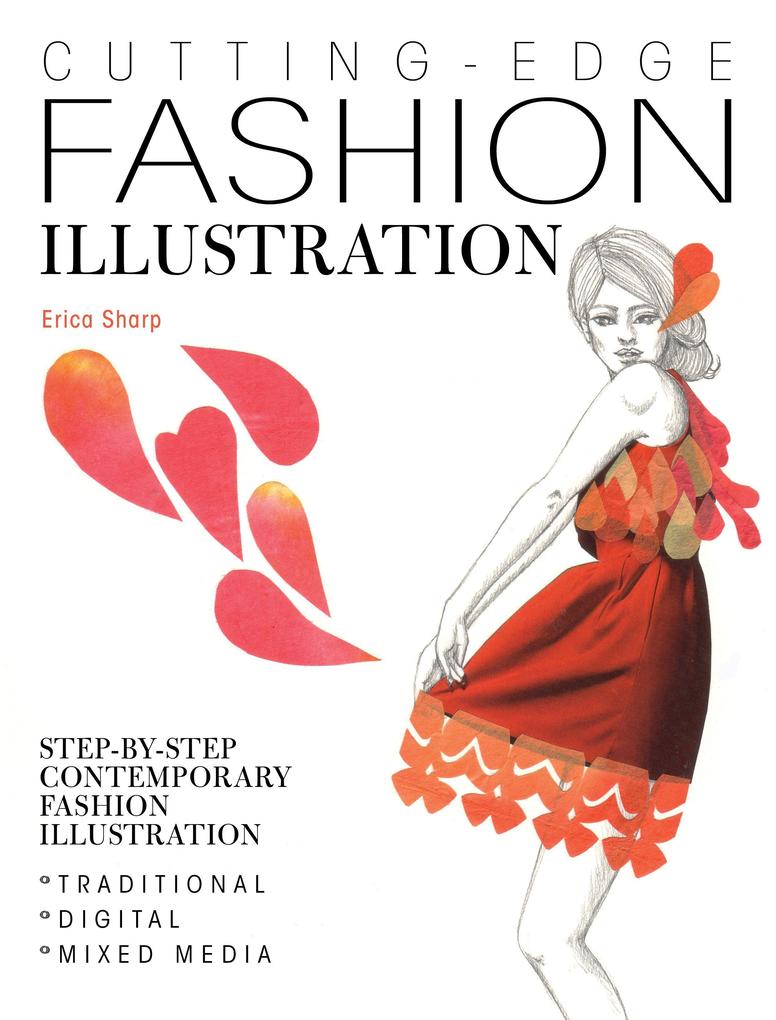
Cutting-Edge Fashion Illustration is the go-to resource and inspiration if you're a budding fashion designer, fashion illustrator or just simply want to learn more illustration techniques.
Covers all key areas of illustration using traditional, digital and mixed media methods, offering clear advice on how to manage color, textures, patterns and how to create your own fashion portfolio.
Easy to follow step-by-step tutorials demonstrate each of the techniques, followed by a gallery of inspirational images show how to use each technique in your own illustrations.
Erica is a fashion illustrator working with key fashion publications in London, UK, one of the world's leading cities of fashion, so her style is very commercial and current!
Inhaltsverzeichnis
Introduction
Digital equipment
Photoshop overview
Photoshop workspace
Photosop Tool palette
Chapter 1: Fundamentals
Scan, clean and retouch a freehand illustration
Photograph, clean and retouch and artwork
Retouch an illustration using the clone stamp tool
Chapter 2: Colour
Create layers to apply colours with the brush tool
Create a path with the pen tool to add colour
Colour a full illustration using paths
Create and apply colour gradients
Create colour schemes using Adobe Kuler
Chapter 3: Textures
Apply paper elements to a drawing
Apply fabric elements to a drawing
Use digital brushes and textures to embellish a drawing
Apply scanned ink marks and drops to an illustration
Chapter 4: Mixed Media
Add illustrative elements to a photographs
Add photographic elements to a fashion drawing
Combine photographs and digital colour in a photomontage
Chapter 5: Patterns
Create a repeat pattern by hand
Edit a repeat pattern in Photoshop
Apply patterns to a fashion drawing
Chapter 6: A Career in Fashion Illustration
Generating ideas
Practising your skills
Developing your own style
Self-promotion
Online self-promotion
Creating your online portfolio
Useful Contacts (agencies, organizations and blogs, international annuals)